Spotify Canvas
Spotify Canvas transforms songs with looping visuals that boost engagement, deepen storytelling, and make tracks stand out.
What is Spotify Canvas? A Mobile Optimized Visual Experience
Spotify Canvas is Spotify’s looping visual feature that allows artists to replace static album art with short, engaging video clips on the Now Playing screen. These 3-8 second visuals transform the listening experience into something more immersive, helping artists express their creative identity, boost engagement, and increase the shareability of their music. Canvas blends art and audio into a dynamic storytelling tool that travels with every stream.
What Spotify Canvas Is Designed For: Boosting Engagement and Branding on the Spotify Mobile App
Spotify Canvas helps artists:
- Enhance the emotional impact of their music
- Strengthen visual branding across releases
- Increase fan engagement and retention
- Encourage social sharing through eye catching visuals
- Stand out in a crowded streaming landscape
It’s a lightweight but powerful way to elevate the listener experience.
Key Features of Spotify Canvas Video Loops
Short, Looping Visuals: Continuous Loop and Mobile First Design
Canvas clips are:
- 3 to 8 seconds long
- Vertical, mobile optimized videos
- Smoothly looping
- Displayed on the Now Playing screen
These visuals add movement and personality to the track without overwhelming the listener.
Creative Flexibility with Animated Versions and Video Content
Artists can use Canvas to showcase:
- Animated artwork
- Behind the scenes footage
- Lyric snippets
- Visualizers
- Motion graphics
- Conceptual or abstract imagery
This flexibility allows artists to reinforce their aesthetic and storytelling.
Increased Engagement Metrics: More Streams, Profile Visits, and Playlist Adds
Spotify reports that Canvas can help:
- Increase track shares by up to 145%
- Boost streams by around 5%
- Improve profile visits by 9%
- Strengthen listener retention
The visual element encourages fans to stay engaged longer and interact more with the track, which is crucial for artists aiming to grow their audience and build a loyal fanbase. These metrics highlight how Canvas videos are not just decorative but directly contribute to an artist’s success on the platform.
Smooth Upload Through Spotify for Artists App and Desktop Dashboard
Artists manage Canvas directly through the Spotify for Artists Dashboard, where they can:
- Upload new visuals
- Replace or update existing ones
- Test different concepts
- Align visuals with release cycles
The platform offers an intuitive interface making it easy even for beginners to add Canvas videos to their tracks. Additionally, artists can monitor how their Canvas videos impact engagement through built-in analytics.
Social Sharing Integration: Share Canvas to Instagram Stories and Beyond
When fans share a track to platforms like Instagram Stories, the Canvas visual appears in the share, helping artists:
- Amplify reach
- Create viral moments
- Strengthen cross platform branding
Canvas becomes a built in promotional asset that extends the song’s life beyond Spotify. This social integration makes it easier for artists to connect with fans and attract new listeners through visually compelling content.
Mobile First Experience: Optimized for the Spotify Mobile App and Playback Controls
Canvas is optimized for mobile, where over 60% of Spotify listening occurs, primarily through the Spotify mobile app. This ensures:
- High visual impact
- Smooth playback
- Consistent quality across devices
It’s designed to complement the way fans already consume music, making the listening experience more engaging and immersive. The vertical video format fits perfectly within the Now Playing view, enhancing the overall user interface.
Why Spotify Canvas Matters: Elevate Your Artist Name and Profile Page
Spotify Canvas is more than a visual flourish it’s a strategic creative tool. It helps artists:
- Reinforce their brand identity
- Deepen emotional connection with fans
- Increase engagement and shareability
- Elevate the storytelling around each track
- Stand out in the streaming platform
For artists looking to enhance their presence on Spotify, Canvas is one of the most effective and expressive tools available.
How to Create Effective Spotify Canvas Videos: Using a Spotify Canvas Generator and Editing Tools
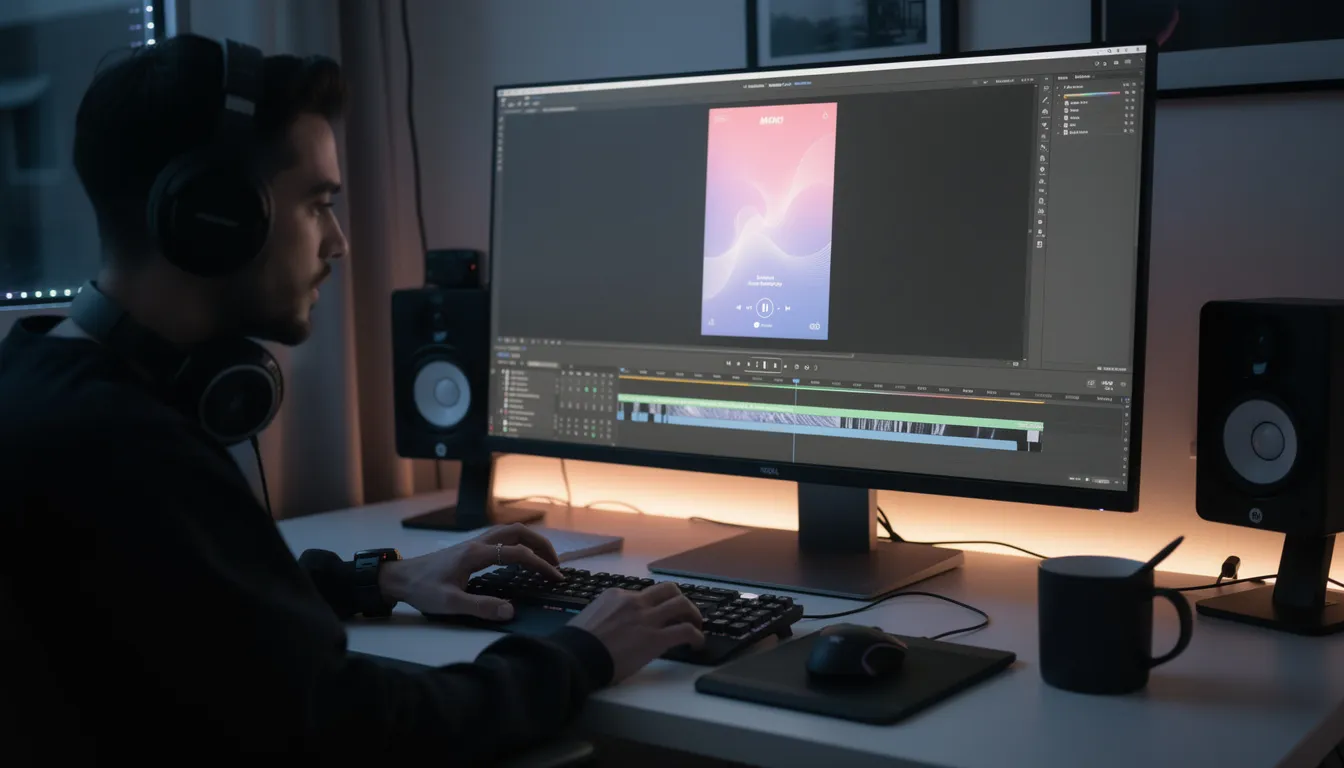
Creating a compelling Canvas video requires attention to both technical specifications and creative vision. The video must be between 3 to 8 seconds long, in a vertical 9:16 aspect ratio, and meet Spotify’s file requirements (MP4 format, minimum 720px height). Artists can create Canvas videos by editing clips using popular video editing tools such as InShot, Premiere Rush, or Splice. For those seeking a more streamlined experience, platforms like Rotor Videos offer a Spotify Canvas generator with customizable templates and effects.
Tips for maximizing the impact of your Canvas include avoiding rapid cuts or flashing images that can distract listeners, and focusing on visuals that enhance the mood or story of the song. Some artists opt for an animated version of their album artwork or use behind the scenes footage to create a personal connection with fans. Ensuring the video content is high quality and aligned with the artist’s brand helps maintain consistency across the Spotify profile.
Updating your Canvas regularly can keep your profile fresh and celebrate milestones such as new releases or streaming achievements. Notable artists like Billie Eilish have used Canvas creatively to engage fans and add a whole new way to experience their music.
Updating your Canvas regularly can keep your profile fresh and celebrate milestones such as new releases or streaming achievements.
Spotify Canvas Conclusion: Make Your Spotify Canvas Fun, Creative, and Shareable
The Spotify Canvas videos are a powerful tool for artists to enrich the listening experience, increase streams, and build stronger connections with their audience all within the mobile first environment that dominates today’s music consumption.
Ready to take your music career to the next level? Distribute your music globally with Unchained Music and open up powerful tools like Spotify Canvas to engage your fans like never before. Get started today at Unchained Music and let your music reach the world!